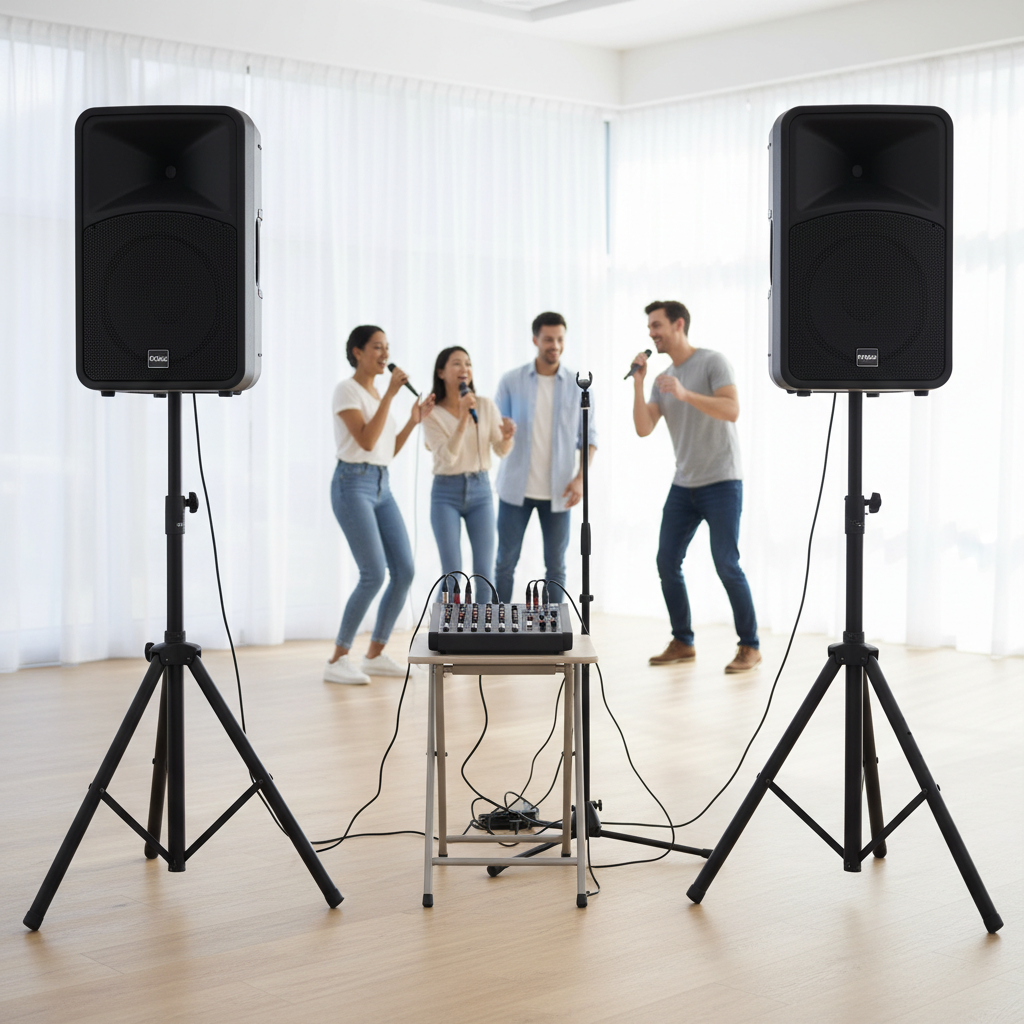
That jarring, high-pitched screech or low, resonant hum – microphone feedback. It’s an unwelcome guest that can instantly derail a performance, presentation, or even a casual karaoke night. Far from just an annoyance, persistent feedback can damage sensitive audio equipment and even hurt your ears. But what causes this sonic terror, and more importantly, how can you silence it quickly and effectively? As someone with over a decade of experience navigating the complexities of audio systems, particularly in karaoke and live sound, I understand the frustration it brings. This article will equip you with practical, real-world strategies to conquer microphone feedback, turning you into a sound pro in no time.
Understanding Microphone Feedback: The Unwanted Loop
Microphone feedback, often referred to as the “Larson effect,” occurs when sound amplified from a loudspeaker re-enters the sound system through an open microphone. This re-entering sound is then amplified again, creating a continuous, escalating loop. Imagine a dog chasing its tail, but with sound waves; the cycle rapidly builds until it culminates in that distinctive, piercing squeal or rumble. This phenomenon is largely a battle between your microphone, your speakers, and the surrounding environment, influenced heavily by volume levels and the subtle physics of sound propagation.
Common Causes of Microphone Feedback
Several factors conspire to create microphone feedback, transforming a smooth audio experience into a sonic nightmare. Understanding these culprits is the first step towards prevention and swift resolution.
- Microphone and Speaker Placement: This is arguably the most common cause. When a microphone is placed too close to a loudspeaker, or directly in its line of fire, it picks up its own amplified signal.
- Excessive Gain or Volume Levels: Pushing the microphone gain or overall system volume too high amplifies every sound, including the signal returning from the speakers, initiating the feedback loop.
- Room Acoustics: Hard, reflective surfaces like bare walls, glass, and concrete can bounce sound waves around, making it easier for amplified sound to find its way back into the microphone.
- Microphone Type and Polar Pattern: Not all microphones are created equal. Omnidirectional microphones pick up sound from all directions, making them more prone to feedback in live settings compared to directional mics.
- Multiple Open Microphones: The more microphones that are active and open in a system, the higher the “gain before feedback” threshold becomes, increasing the likelihood of a squeal.
|
Our Picks for the Best Karaoke system in 2026
As an Amazon Associate I earn from qualifying purchases.
|
||
| Num | Product | Action |
|---|---|---|
| 1 | NBVOICE Professional Portable All-in-One Integrated 2-Way PA System Fixed Setup, Suitcase Design w/ 8-Channel Mixer, 2 Speaker Stands, Bluetooth, Mic for Performances, Presentations |

|
| 2 | Portable Karaoke Machine, with Wireless Microphones, Bluetooth Party Speaker with LED Lights, Loud Subwoofer, USB/AUX, Outdoor Karaoke Speaker for Adults & Kids, Home & Party |
|
| 3 | Karaoke Machine for Adults, Built-in 10.1" HD Lyrics Screen, Supports WiFi Bluetooth HDMI USB and TF, Portable Karaoke Player with 2 Wireless Microphones for Home Party Family Gathering |
|
| 4 | JBL Wireless Two Microphone System with Dual-Channel Receiver, Black |
|
| 5 | Ikarao Portable Karaoke Machine for Adults, Built-in Lyrics Display and Screen, 2 Self-Charging Wireless Microphones, Karaoke App, 140W Speaker, Connects to TV for Home Party Birthday Outdoor Camping |
|
| 6 | Karaoke Machine, Portable Bluetooth 5.3 Speaker with 2 Wireless Microphones for Adults, PA System with Pitch Correction & Echo Adjustment, Supports TWS/TF Card/USB/AUX/Live for Home Party (2MICS) |
|
| 7 | Karaoke Machine, Portable Bluetooth Speaker with 2 Wireless Microphones for Adults & Kids with Lights, Karaoke Microphone with PA System Supports USB/TF/REC/FM/AUX for Home Party Home System Packages |
|
| 8 | VOSOCO Karaoke Machine with 2 Wireless Microphones, Portable Bluetooth Speaker for Adults Kids, PA Systems Support TWS Echo Adjust TF USB AUX for Home Party Outdoor Travel |
|
| 9 | Karaoke Soundbar with Subwoofer for TV: Sound Bar with 2 Wireless Microphones - Home Theater Surround Sound System - Bluetooth Speaker with Remote Supports HDMI ARC/Optical/AUX/USB for TV/PC |
|
| 10 | Ikarao Smart Karaoke Machine for Adults - with Lyrics Display, 32GB Karaoke Tablet, 2 Wireless Mics, Professional Karaoke System, 300W Peak Power, 4 DJ Lights, Karaoke Speaker for Any Occasion |
|
Immediate Action: Quick Fixes for Live Feedback
When feedback strikes mid-song or mid-speech, you need solutions fast. Here are immediate steps you can take to stop the screech.
- Lower the Volume/Gain: This is the most straightforward and often quickest fix. Immediately reduce the microphone’s gain knob or the channel’s fader on your mixer. If the overall system volume is too high, lower the master output. Sometimes, a slight reduction is all it takes to break the feedback loop.
- Reposition the Microphone: Physical distance is your friend. Move the microphone further away from the loudspeakers. If using a directional microphone, ensure the front (the part that picks up sound) is pointed towards the sound source (the singer’s mouth), and the rear (the null point where it rejects sound) is pointed directly at the speakers.
- Reposition Speakers: If possible, move your speakers so they are in front of the stage or behind the microphone’s pickup pattern. The goal is to create a physical barrier or angle that prevents the speaker’s sound from directly entering the microphone.
- Reduce Monitor Volume: For live performances, stage monitors often contribute to feedback. Lowering the volume of these monitor speakers can significantly reduce the chances of the microphone picking up its own amplified signal.
Deeper Dive: Advanced Troubleshooting and Prevention
While quick fixes are essential, a deeper understanding of your audio system and environment can prevent feedback before it starts.
Essential Equipment Settings to Combat Feedback
Your audio mixer and other processing units offer powerful tools to tame unruly frequencies and prevent feedback.
- Equalization (EQ): EQ is your surgical tool for feedback.
- Graphic EQs: These allow you to cut specific frequency bands. The technique known as “ringing out” a system involves slowly raising the volume until feedback starts, then identifying the offending frequency and cutting it slightly with the EQ slider until it disappears.
- Parametric EQs: Offering more precise control, parametric EQs allow you to select a specific frequency, adjust its bandwidth (Q factor), and cut its level. This is ideal for targeting narrow feedback frequencies without affecting the overall sound too much.
- High-Pass Filters (HPF): Many mixers have a high-pass filter on each channel. Engaging this filter rolls off low frequencies (below 75-100Hz). While not always a direct feedback solution for high-pitched squeals, it can eliminate low-end rumble that might contribute to feedback, especially in bass frequencies.
- Noise Gates and Auto Mixers:
- Noise Gates: These devices or mixer functions allow sound to pass only when it exceeds a certain threshold. When a microphone is not in use, the gate closes, preventing ambient room noise or speaker bleed from entering the system.
- Auto Mixers: Often found in conference or presentation setups, auto mixers automatically reduce the gain of inactive microphones, effectively minimizing the number of open mics and thus reducing feedback potential.
- Feedback Suppressors/Eliminators: These dedicated hardware units are designed specifically to detect and automatically cut feedback frequencies. They can be a valuable addition for venues or setups where manual EQ adjustments are challenging or quick solutions are paramount.
Choosing the Right Microphone for Your Setup
The microphone itself plays a crucial role in feedback resistance.
- Directional vs. Omnidirectional:
- Omnidirectional microphones pick up sound from all directions, making them unsuitable for most live sound reinforcement where speakers are present, as they readily capture sound from the speakers.
- Directional microphones, such as cardioid and supercardioid patterns, are designed to pick up sound primarily from the front and reject sound from the sides or rear. This rejection pattern is key to preventing feedback, as you can strategically aim the “null point” (the area of greatest rejection) towards the loudspeakers.
- Dynamic vs. Condenser: For most live stage and karaoke applications, dynamic microphones are preferred. They are generally less sensitive than condenser microphones, making them more resistant to feedback and better suited for high sound pressure levels.
Optimizing Your Environment to Prevent Feedback
Beyond equipment, the physical space significantly impacts sound and feedback potential.
- Acoustic Treatment: Rooms with hard, reflective surfaces are feedback magnets. Adding acoustic panels, heavy curtains, carpets, or even strategically placed furniture can absorb sound, reducing reflections that bounce amplified sound back into the microphone.
- Speaker Placement Strategies: Think about where your speakers are in relation to your microphones.
- Front of House (FOH) Speakers: Ideally, these should be placed in front of the main microphone positions. This minimizes the chance of sound from the main speakers entering the mics.
- Delay Speakers: In larger venues, delay speakers can be used further back to cover the audience without having to increase the main FOH volume too much, thus lowering the overall system volume and reducing feedback risk.
“Feedback is a battle of gain. If you can keep the microphone gain as low as possible while still getting a strong signal from the source, you’ve won half the fight before it even begins.” – Sarah Chen, Lead Audio Engineer at Sonic Live Productions
Step-by-Step Guide: How to Systematically Eliminate Feedback
Follow these steps for a methodical approach to a feedback-free setup:
- Start with everything off or low. Ensure all faders and gains are at their lowest settings or off before powering up.
- Gain Staging: With the microphone in its intended position, slowly increase the mic’s gain until you get a healthy signal (but not too loud) on your mixer’s meter, ensuring the performer is speaking or singing at their normal volume. This sets a strong foundation without over-amplification.
- Speaker Placement First: Position your main speakers and monitors strategically. Remember the “behind the microphone” or “null point” principle for directional mics.
- Microphone Placement Next: Place microphones as close as possible to the sound source (the performer’s mouth or instrument) without impeding their performance. This maximizes direct sound and minimizes unwanted ambient noise.
- Gradually Increase Volume: Slowly bring up the master output fader. Listen carefully.
- Use EQ for Fine-Tuning: If feedback starts, identify the frequency (it will be the loudest, most resonant tone) and make subtle cuts with your EQ. Never boost frequencies to combat feedback, always cut.
Conclusion
Microphone feedback is a common challenge in any live audio setting, but it’s not an insurmountable one. By understanding its causes, employing immediate troubleshooting techniques, and implementing strategic equipment and environmental adjustments, you can achieve a clear, professional sound. Remember that proper microphone and speaker placement, careful gain staging, and judicious use of equalization are your most powerful tools. With practice, you’ll develop an ear for feedback and the confidence to stop the squeal before it ruins the show. What are your go-to strategies for keeping microphone feedback at bay in your audio setup?
Frequently Asked Questions
What is microphone feedback?
Microphone feedback is an unwanted, often high-pitched or rumbling sound that occurs when amplified sound from speakers is picked up by a microphone, re-amplified, and sent back through the speakers in a continuous loop. This creates a self-sustaining oscillation of sound.
How does microphone placement affect feedback?
Microphone placement is critical because placing a microphone too close to a speaker, or directly in its path, allows the amplified sound to easily re-enter the system. Positioning the microphone closer to the sound source and using directional mics aimed away from speakers significantly reduces feedback.
Can a cheap microphone cause more feedback?
While even high-quality microphones can cause feedback if misused, cheaper microphones often have less controlled polar patterns and are more prone to picking up unwanted ambient sound, potentially making them more susceptible to feedback in challenging acoustic environments.
What is “ringing out” a system?
“Ringing out” a system is a technique used with an equalizer to identify and cut specific frequencies that are prone to feedback. You intentionally induce feedback at a low level, then use the EQ to reduce the gain at that particular frequency until the feedback stops, repeating the process for other problematic frequencies.
Are there software solutions for feedback?
Yes, many digital mixers and audio processing units include built-in feedback suppression algorithms. There are also standalone software plugins for digital audio workstations (DAWs) that can help identify and eliminate feedback frequencies, though hardware solutions are generally preferred for live performance.