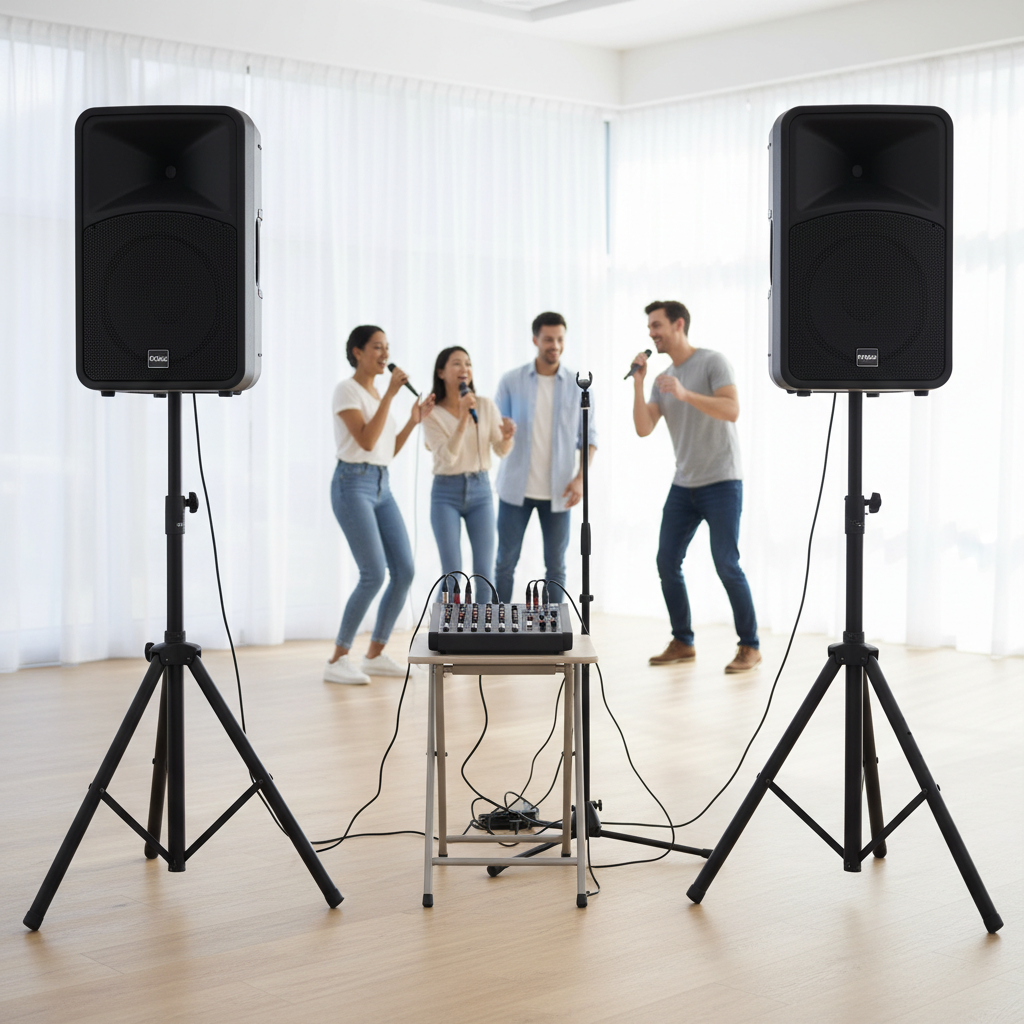
Have you ever wondered how professional singers achieve that rich, immersive vocal sound that seems to fill any space? It’s not just their voice; it’s the masterful application of effects like echo and reverb. As someone with over a decade of experience in audio, particularly with karaoke systems, I understand the desire to elevate vocal performances from good to truly captivating. This guide will share practical insights, helping you transform dry, uninspired vocals into powerful, studio-quality performances, even within your home karaoke setup.
Understanding the Power of Echo and Reverb
To effectively use vocal effects, it’s essential to grasp what echo and reverb are and how they differ. Both create a sense of space around a vocal, but they do so in distinct ways.
Reverb (Reverberation) simulates the natural reflections of sound in an enclosed space, like a concert hall, a large room, or even a small chamber. When you sing, your voice bounces off surfaces, creating a complex wash of reflections that gradually fade out. Reverb mimics this, adding depth, warmth, and a sense of environment to your vocals, making them sound less “in a void” and more natural or even dramatic. It blurs imperfections and gives vocals a smooth, connected quality.
Echo (Delay), on the other hand, is a more distinct repetition of a sound. Think of shouting in a canyon and hearing clear, separate repeats of your voice. Delay creates these discrete copies of the original signal, which can be timed to the music for rhythmic effects or used for dramatic, trailing vocal lines. While reverb creates a dense, continuous wash of sound, delay offers distinct, spaced-out repetitions.
These effects are crucial for vocals because they add presence, ambiance, and emotion. They can make a solo voice sound fuller, help it sit better in a mix with backing tracks, or even mask minor imperfections in a performance.
Essential Gear and Software for Vocal Effects
The good news is you don’t need a professional recording studio to add these effects. Modern technology makes them accessible for various setups.
For Karaoke Systems: Many modern karaoke mixers and sound systems come with built-in digital effects processors that include basic reverb and echo. These often have simple controls like “Effect Level” or specific presets for different reverb types. More advanced systems might feature dedicated effect units or digital mixers with a wider array of parameters.
For Home Studio & Advanced Users: If you’re looking for professional-grade control, a Digital Audio Workstation (DAW) like Logic Pro, Ableton Live, Audacity (free), or Soundation (online) is your primary tool. Within a DAW, you use software “plugins” that simulate various reverb and delay units, offering extensive control over every parameter. While hardware (outboard gear) effects units exist, software plugins are generally more versatile, affordable, and integrated into modern workflows.
A Step-by-Step Guide to Applying Vocal Reverb
Applying reverb effectively is an art. Here’s a detailed approach to achieve clarity and depth.
The “Send and Return” Method: Your Path to Control
The most recommended and professional way to apply reverb to vocals is by using a “send and return” (or “aux track”) setup.
- Create an Auxiliary Track: In your DAW or on your digital mixer, create a new auxiliary (or return) track.
- Insert Reverb Plugin: On this aux track, insert your chosen reverb plugin.
- Set to 100% Wet: Critically, set the reverb plugin’s “mix” or “wet/dry” parameter to 100% wet. This means the aux track will only carry the reverberated sound, with no original (dry) signal.
- Send Your Vocal: On your main vocal track, use a “send” knob or fader to route a portion of your dry vocal signal to the reverb aux track.
Why this method is superior:
- Greater Control: You can separately process the dry vocal and the wet reverb signal.
- CPU Efficiency: One instance of a reverb plugin can serve multiple vocal tracks, saving processing power.
- Cohesion: All vocals sharing the same reverb aux sound like they exist in the same acoustic space, leading to a more natural and unified mix.
- Automation: Easily automate the send level to dynamically adjust reverb.
|
Our Picks for the Best Karaoke system in 2026
As an Amazon Associate I earn from qualifying purchases.
|
||
| Num | Product | Action |
|---|---|---|
| 1 | Ikarao Portable Karaoke Machine for Adults, Built-in Lyrics Display and Screen, 2 Self-Charging Wireless Microphones, Karaoke App, 140W Speaker, Connects to TV for Home Party Birthday Outdoor Camping |

|
| 2 | Karaoke Machine for Adults, Built-in 10.1" HD Lyrics Screen, Supports WiFi Bluetooth HDMI USB and TF, Portable Karaoke Player with 2 Wireless Microphones for Home Party Family Gathering |
|
| 3 | JBL Wireless Two Microphone System with Dual-Channel Receiver, Black |
|
| 4 | Karaoke Machine, Portable Bluetooth 5.3 Speaker with 2 Wireless Microphones for Adults, PA System with Pitch Correction & Echo Adjustment, Supports TWS/TF Card/USB/AUX/Live for Home Party (2MICS) |
|
| 5 | Karaoke Machine, Portable Bluetooth Speaker with 2 Wireless Microphones for Adults & Kids with Lights, Karaoke Microphone with PA System Supports USB/TF/REC/FM/AUX for Home Party Home System Packages |
|
| 6 | VOSOCO Karaoke Machine with 2 Wireless Microphones, Portable Bluetooth Speaker for Adults Kids, PA Systems Support TWS Echo Adjust TF USB AUX for Home Party Outdoor Travel |
|
| 7 | Portable Karaoke Machine, with Wireless Microphones, Bluetooth Party Speaker with LED Lights, Loud Subwoofer, USB/AUX, Outdoor Karaoke Speaker for Adults & Kids, Home & Party |
|
| 8 | NBVOICE Professional Portable All-in-One Integrated 2-Way PA System Fixed Setup, Suitcase Design w/ 8-Channel Mixer, 2 Speaker Stands, Bluetooth, Mic for Performances, Presentations |
|
| 9 | Ikarao Smart Karaoke Machine for Adults - with Lyrics Display, 32GB Karaoke Tablet, 2 Wireless Mics, Professional Karaoke System, 300W Peak Power, 4 DJ Lights, Karaoke Speaker for Any Occasion |
|
| 10 | Karaoke Soundbar with Subwoofer for TV: Sound Bar with 2 Wireless Microphones - Home Theater Surround Sound System - Bluetooth Speaker with Remote Supports HDMI ARC/Optical/AUX/USB for TV/PC |
|
Choosing the Right Reverb Type for Your Vocals
Different reverb types evoke different moods and spaces. Experimentation is key to finding what suits your song and vocal style.
- Plate Reverb: Known for its bright, smooth, and slightly metallic character. Plate reverbs are a classic choice for vocals in pop, rock, and R&B, helping them cut through a busy mix.
- Hall Reverb: Simulates the vastness of a concert hall with a long, smooth decay. Ideal for creating a dreamy, epic, or distant feel, often found in ballads and cinematic music.
- Room Reverb: Designed to emulate smaller, more intimate spaces. Use room reverb when you want your vocals to sound close, natural, and present without being overwhelming.
- Chamber Reverb: Historically created in dedicated soundproof rooms, chamber reverbs offer a distinct, often denser and brighter sound, great for adding vintage character.
Fine-Tuning Your Reverb Parameters
Once you’ve chosen a reverb type, adjust its core parameters to sculpt the perfect sound.
- Pre-Delay: This is the short gap of time (in milliseconds) between the initial dry vocal and the onset of the reverb. A longer pre-delay helps the dry vocal stand out clearly before the reflections begin, enhancing vocal intelligibility. It also creates the perception of a larger room.
- Decay Time (or Size/Time): This parameter dictates how long the reverb tail lasts before completely fading out. Longer decay times create more atmospheric, larger-sounding spaces, while shorter times simulate smaller rooms. Be cautious: too long a decay can lead to muddiness, especially in busy mixes. Aim for a decay that compliments the song’s tempo.
- Diffusion: This controls the density and smoothness of the reverb reflections. Higher diffusion settings create a smoother, more lush reverb, while lower settings can sound more sparse or grainy.
- EQing Your Reverb: Reverb adds a lot of frequency content, which can easily clutter your mix, especially in the low-mids. A crucial technique is to apply an EQ after the reverb plugin on the aux track.
- High-Pass Filter: Remove low frequencies (e.g., below 600Hz) from the reverb signal. This prevents low-end mud and ensures your bass and kick drum remain clear.
- Low-Pass Filter: Remove harsh high frequencies (e.g., above 6kHz) to smooth out the reverb and prevent it from sounding too bright or sibilant. This “Abbey Road Reverb Trick” creates a clear, defined space.
Mastering Vocal Echo and Delay Techniques
Delay can add excitement, rhythm, and unique textural elements to your vocals.
Understanding Basic Delay Controls
Like reverb, delay plugins come with several key parameters.
- Delay Time: This controls the time interval between each repeat. It’s often synced to the song’s tempo (e.g., 1/4 notes, 1/8 notes) for rhythmic precision.
- Feedback (or Decay Factor): This determines how many times the echo repeats and how quickly it fades out. High feedback creates many repeats that decay slowly, while low feedback results in fewer, quicker fades.
- Wet/Dry Mix: When using delay on an aux track (which is often recommended for the same reasons as reverb), set the plugin to 100% wet. Use the send fader on your vocal track to blend in the desired amount of delay. If using as an insert for a specific effect, adjust the mix to taste.
Popular Delay Types for Vocals
- Slapback Delay: A very short delay (around 80-150ms) with minimal feedback (one or two repeats). This adds a subtle thickness and fullness to the vocal without sounding like a distinct echo, a staple in rockabilly and vintage rock.
- Rhythmic Delay: Delays precisely timed to the song’s tempo (e.g., 1/8th note, dotted 1/4 note). This creates a groove and can make the vocals feel more dynamic and engaged with the rhythm section.
- Long Ambient Delay: Longer delay times with moderate to high feedback, often paired with reverb, to create expansive, atmospheric soundscapes. Use sparingly to avoid clutter.
Advanced Strategies for Polished Vocals
Once you’ve mastered the basics, these advanced techniques will elevate your vocal effects.
Optimizing Stereo Width and Placement
- Mono vs. Stereo Reverb/Delay: A mono reverb can keep your vocals upfront and focused, while a stereo reverb creates a wider, more expansive sound, pushing the vocal slightly further back in the mix. Many plugins offer width controls for both early reflections and the reverb tail, allowing for precise spatial tailoring.
- Early Reflections: These are the first few sound reflections that reach your ears. Adjusting their width can influence how “present” or “spacious” the vocal feels initially.
- Reverb Tail Width: Controls the spread of the decaying reverb. A wider tail can envelop the listener more effectively.
Dynamic Effects with Automation
Automation allows your effects to evolve with the song.
- Emphasizing Sections: Increase the send level to your reverb or delay aux tracks during a chorus to make the vocals sound bigger and more impactful. Reduce it for verses to maintain intimacy.
- Vocal Throws: Create dramatic, exaggerated delays or reverbs on specific words or phrases at the end of a vocal line. This is achieved by momentarily increasing the send level for that particular word, letting the effect wash out before returning to the original level.
Combining Multiple Effects
Don’t shy away from layering.
- Two Reverbs: A common technique is to use two different reverb aux tracks: one with a short, tight reverb (e.g., a small room or plate) for general vocal presence, and another with a longer, more ambient reverb (e.g., a hall) that you can automate for specific dramatic moments.
- Reverb and Delay: Layering both effects thoughtfully can create rich, complex soundscapes. Use reverb to establish the main space and delay to add rhythmic interest or specific trails.
Avoiding Common Pitfalls
Even with the best tools, it’s easy to misuse echo and reverb.
- Overuse: The most common mistake. Too much of either effect can make vocals sound distant, muddy, or simply unnatural, losing all clarity and presence. “When in doubt, back off the effect by ten to twenty-five percent” is a good rule of thumb.
- Muddiness: Not EQing your reverb, especially by neglecting to high-pass low frequencies, is a major cause of a cluttered mix. Long decay times without proper management can also lead to an indistinct sound.
- Wrong Placement: While inserts have their place for creative one-off effects, using primary vocal reverb or delay as an insert on the main vocal track limits control and can hinder mix cohesion. Always favor the send/return method for general vocal effects.
Conclusion
Adding echo and reverb to your vocals is a transformative process that brings depth, dimension, and emotion to any performance. Whether you’re enhancing a professional recording in a DAW or aiming for a richer sound from your karaoke system, understanding these effects and their parameters is key. By embracing techniques like the send/return method, careful EQing, and strategic automation, you can avoid common pitfalls and sculpt a vocal sound that is both clear and captivating. So, dive in, experiment with different reverb types and delay patterns, and listen critically to how these effects interact with your unique voice and music. What new sonic spaces will you create for your next vocal performance?
Câu Hỏi Thường Gặp
What’s the main difference between echo and reverb?
Echo creates distinct, separate repetitions of a sound, like a shout in a canyon. Reverb simulates the natural, continuous wash of reflections in an enclosed space, providing depth and ambiance.
Should I use reverb as an insert or on an aux send?
For most vocal applications, using reverb on an aux (send/return) track is highly recommended. This allows for independent control over the wet and dry signals, better CPU management, and greater mix cohesion.
How can I prevent my vocals from sounding muddy with reverb?
To prevent muddiness, always EQ your reverb on its aux track. Use a high-pass filter to remove low frequencies (e.g., below 600Hz) and a low-pass filter for harsh highs (e.g., above 6kHz), focusing the reverb in the mid-range.
Is it okay to use both echo and reverb on vocals simultaneously?
Yes, using both echo and reverb can create rich, complex vocal soundscapes. Reverb often sets the overall space, while delay adds rhythmic interest or specific trailing effects. Just be mindful of overdoing it to maintain vocal clarity.
How do I choose the right reverb type for my vocal style?
The best reverb type depends on the desired mood and genre. Plate reverbs offer brightness for pop, hall reverbs create epic spaces for ballads, room reverbs give an intimate feel, and chamber reverbs add vintage character. Experiment to find what complements your vocal and song.