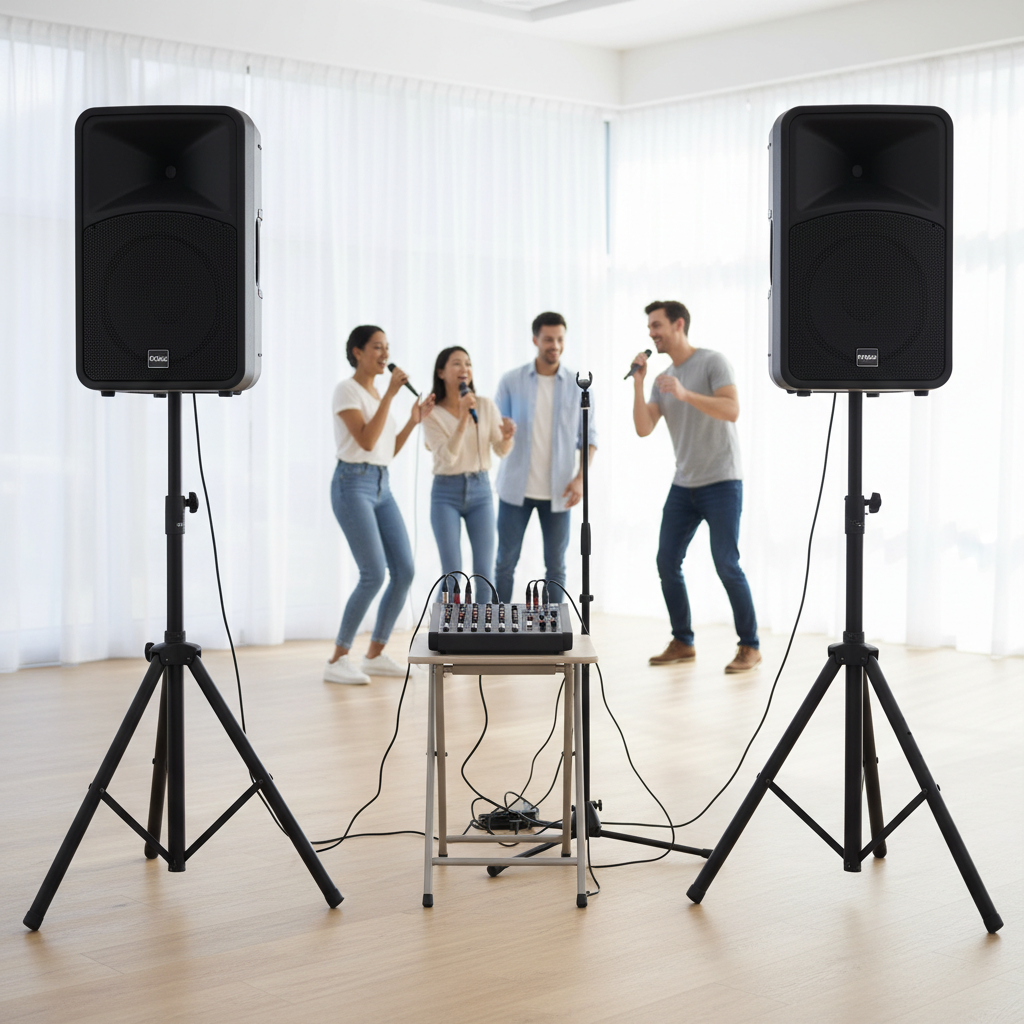
Transforming your living room into a concert stage might seem daunting, especially when trying to integrate a karaoke system with your existing 5.1 surround sound. As an audio enthusiast with a decade of experience in karaoke systems, I understand the nuances of getting that perfect blend of music and vocals. This guide will walk you through the essential steps and common pitfalls, helping you achieve a professional-sounding karaoke experience right at home.
The magic of karaoke lies in combining your singing with the backing track, all while projecting it through your powerful home theater. While most karaoke tracks are recorded in stereo, integrating them into a 5.1 system allows you to leverage your existing speaker setup for a more immersive and louder experience. The key is understanding how to route audio signals correctly, ensuring your voice is heard clearly alongside the music, without annoying delays or feedback.
Understanding the Core Components of Your Karaoke and 5.1 Setup
Before diving into connections, let’s identify the main players in your karaoke ecosystem. Each component plays a vital role in delivering an enjoyable singing experience through your surround sound.
- Karaoke Source: This is where your music comes from. It could be a smart TV streaming YouTube karaoke, a dedicated karaoke player, a PC/laptop, or even a tablet. This device provides the instrumental backing tracks and often the lyrical display.
- Microphones: The tools for your vocal performance. These can be wired (XLR or 1/4-inch jack) or wireless, and you’ll typically need at least one, if not two, for duets.
- Audio Mixer: This is the central command unit. An audio mixer takes the separate signals from your karaoke music source and your microphones, blends them together, and allows you to adjust their individual volumes and tone. It’s an indispensable component for any serious karaoke setup using a home theater.
- 5.1 Surround Sound Receiver/Amplifier: The brain of your home theater. This unit receives audio signals, processes them, amplifies them, and distributes them to your various speakers. It’s designed to handle multiple audio inputs and output to your speaker configuration.
- 5.1 Speaker System: Comprising a center speaker, front left and right speakers, rear left and right speakers, and a subwoofer, this system is designed to create an immersive audio landscape for movies and music. For karaoke, you’ll want to ensure all speakers are utilized effectively.
Essential Connections for a Seamless Karaoke Experience
Connecting your karaoke system to a 5.1 surround sound setup requires careful attention to signal flow. The goal is to get the karaoke music and your microphone audio combined and sent to your AV receiver.
Connecting Your Karaoke Music Source to the Mixer
Your karaoke music needs to first go into the mixer so it can be combined with your vocals.
- HDMI ARC/eARC Method: If your smart TV is your primary karaoke music source, an HDMI cable connected to your TV’s HDMI ARC (Audio Return Channel) or eARC port and then to an HDMI input on your mixer (if your mixer has one with ARC support) is an excellent option. This allows the TV to send audio back down the HDMI cable to the mixer. If your mixer lacks HDMI ARC, you might need an HDMI audio extractor placed between your TV and mixer to split the audio signal.
- Optical (TOSLINK) Method: Many TVs and other media players offer an optical digital audio output. You can connect an optical cable from your TV to a digital-to-analog converter (DAC) if your mixer only has analog inputs. The DAC converts the digital signal to analog RCA, which then plugs into an input on your mixer.
- Analog RCA Method: For older devices or simpler setups, you might connect your karaoke music source directly to your mixer using standard red and white RCA stereo cables. This is straightforward but relies on your source having RCA outputs.
|
Our Picks for the Best Karaoke system in 2026
As an Amazon Associate I earn from qualifying purchases.
|
||
| Num | Product | Action |
|---|---|---|
| 1 | JBL Wireless Two Microphone System with Dual-Channel Receiver, Black |

|
| 2 | Karaoke Machine, Portable Bluetooth 5.3 Speaker with 2 Wireless Microphones for Adults, PA System with Pitch Correction & Echo Adjustment, Supports TWS/TF Card/USB/AUX/Live for Home Party (2MICS) |
|
| 3 | Karaoke Machine for Adults, Built-in 10.1" HD Lyrics Screen, Supports WiFi Bluetooth HDMI USB and TF, Portable Karaoke Player with 2 Wireless Microphones for Home Party Family Gathering |
|
| 4 | Karaoke Machine, Portable Bluetooth Speaker with 2 Wireless Microphones for Adults & Kids with Lights, Karaoke Microphone with PA System Supports USB/TF/REC/FM/AUX for Home Party Home System Packages |
|
| 5 | Ikarao Portable Karaoke Machine for Adults, Built-in Lyrics Display and Screen, 2 Self-Charging Wireless Microphones, Karaoke App, 140W Speaker, Connects to TV for Home Party Birthday Outdoor Camping |
|
| 6 | Ikarao Smart Karaoke Machine for Adults - with Lyrics Display, 32GB Karaoke Tablet, 2 Wireless Mics, Professional Karaoke System, 300W Peak Power, 4 DJ Lights, Karaoke Speaker for Any Occasion |
|
| 7 | NBVOICE Professional Portable All-in-One Integrated 2-Way PA System Fixed Setup, Suitcase Design w/ 8-Channel Mixer, 2 Speaker Stands, Bluetooth, Mic for Performances, Presentations |
|
| 8 | Karaoke Soundbar with Subwoofer for TV: Sound Bar with 2 Wireless Microphones - Home Theater Surround Sound System - Bluetooth Speaker with Remote Supports HDMI ARC/Optical/AUX/USB for TV/PC |
|
| 9 | VOSOCO Karaoke Machine with 2 Wireless Microphones, Portable Bluetooth Speaker for Adults Kids, PA Systems Support TWS Echo Adjust TF USB AUX for Home Party Outdoor Travel |
|
| 10 | Portable Karaoke Machine, with Wireless Microphones, Bluetooth Party Speaker with LED Lights, Loud Subwoofer, USB/AUX, Outdoor Karaoke Speaker for Adults & Kids, Home & Party |
|
Integrating Microphones into the Mixer
The mixer is where your microphones connect and where their sound is processed.
- XLR vs. 1/4″ Inputs: Most professional or semi-professional microphones use XLR cables for balanced audio, which reduces noise over longer distances. Many mixers provide XLR inputs. Consumer-grade microphones or some wireless mic receivers might use 1/4-inch (TRS or TS) jacks. Ensure your mixer has the appropriate inputs for your microphones.
- Wireless Microphone Systems: If you’re using a wireless mic system, the receiver unit (not the microphone itself) will connect to your mixer, usually via an XLR or 1/4-inch output. This receiver handles the wireless communication and outputs an audio signal to the mixer.
Connecting the Mixer to Your 5.1 Surround Sound Receiver
Once your music and microphone signals are mixed, the combined audio needs to be sent to your AV receiver.
- Analog RCA Output to Receiver Input: The most common and recommended method for connecting your karaoke mixer to your AV receiver is using standard stereo RCA cables. Connect the “Main Out” or “Line Out” (red and white jacks) from your mixer to an available stereo analog input on your AV receiver, often labeled “CD,” “Aux,” “Game,” or “Audio In.” This provides a clean stereo signal to your receiver.
- Digital Optical Output to Receiver Input (with converter if needed): If your mixer has a digital optical output and your AV receiver has an optical input, you can connect them directly. However, it’s more common for mixers to have analog outputs. If your receiver only has digital inputs and your mixer only has analog outputs, you’ll need an analog-to-digital converter (ADC) between the mixer and the receiver.
Optimizing Your 5.1 Surround Sound for Karaoke
Since most karaoke audio is stereo, you’ll need to configure your AV receiver to distribute this stereo signal effectively across your 5.1 speakers.
Configuring Your AV Receiver for Stereo Karaoke
Modern AV receivers are versatile and can “upmix” stereo signals to utilize all available speakers, creating a more enveloping soundstage.
- “All Channel Stereo” and Upmixing Modes: Look for settings on your AV receiver like “All Channel Stereo,” “Multi-Channel Stereo,” “Party Mode,” or a similar DSP (Digital Signal Processor) mode. These modes typically take the incoming stereo signal and send it to all five main speakers (front, center, and surrounds) and the subwoofer. This ensures a fuller, more powerful sound for your karaoke session.
- Importance of Speaker Placement: Even with upmixing, proper speaker placement for your 5.1 system will enhance the overall sound. Ensure your front speakers are angled towards the singers, and the center channel is clear for strong vocal projection. The subwoofer adds depth and power to the music.
Addressing Common Audio Challenges
Karaoke setup can present a few common hurdles. Here’s how to overcome them:
- Tackling Microphone Latency: This is a critical issue where there’s a noticeable delay between singing into the mic and hearing your voice through the speakers. High latency makes singing very difficult and unnatural.
- Prioritize Analog Connections: Analog audio connections (like RCA or AUX) inherently have almost zero latency. When sending microphone audio, try to keep the signal path as analog as possible until it reaches the AV receiver.
- Bypass TV Processing: Connecting your mixer directly to the AV receiver (via analog RCA) and avoiding sending microphone audio through the TV helps eliminate processing delays often introduced by televisions.
- Check TV Game Mode: If you must route audio through your TV, some TVs offer a “Game Mode” which can reduce processing delay.
- Preventing Feedback: The dreaded screeching sound.
- Microphone Placement: Keep microphones behind the main speakers and away from them. Never point a microphone directly at a speaker.
- Volume Control: Start with microphone volumes low on the mixer and gradually increase them.
- Equalization (EQ): Use the EQ controls on your mixer (if available) to cut frequencies that are prone to feedback. High frequencies are often the culprits.
- Balancing Music and Vocal Levels: The key to a great karaoke performance is a good balance.
- Mixer Control: Use the individual channel volume faders/knobs on your mixer to adjust the microphone levels and the main volume of the music track.
- Practice and Adjust: It takes some practice to find the sweet spot where voices are clear and prominent without overpowering or being drowned out by the music.
Choosing the Right Karaoke System Components
Selecting the right equipment can significantly impact your karaoke experience.
Types of Karaoke Systems and Their Compatibility
- All-in-One Karaoke Machines: These units typically combine a player, amplifier, and sometimes even speakers and microphones. They are convenient but often have limited connectivity options for integrating with advanced home theater systems. Their internal mixers might not offer the flexibility needed for optimal sound with a 5.1 system.
- Component-Based Systems: This approach involves separate components (karaoke source, mixer, microphones, amplifier, speakers). This offers maximum flexibility, customization, and usually superior audio quality and control, making it ideal for integration with a 5.1 surround sound setup.
Key Considerations When Buying Equipment
- Mixer Features: Look for a mixer with enough microphone inputs (XLR or 1/4-inch), individual volume and tone controls for each mic, and main stereo outputs (RCA or 1/4-inch). Built-in effects like reverb or echo can enhance vocals and make singing more enjoyable.
- Microphone Quality: Invest in decent quality microphones. Dynamic microphones are robust and well-suited for live vocals, offering good sound isolation and feedback resistance. Wireless microphones offer freedom of movement, but ensure their receiver connects to your mixer.
- Cable Types and Adapters: Always use good quality, shielded cables. Keep a selection of common adapters (e.g., 1/4-inch to RCA, XLR to 1/4-inch) on hand for unexpected connection needs.
Troubleshooting Your Karaoke and 5.1 Setup
Even with careful setup, issues can arise. Here are solutions to common problems:
- No Sound from Microphones:
- Check all connections: Ensure mics are plugged into the mixer, and the mixer is connected to the AV receiver.
- Volume levels: Verify all volume knobs (mic, channel, main out on mixer, input on receiver) are turned up.
- Phantom power: If using condenser microphones, ensure phantom power is enabled on the mixer if required.
- Mute buttons: Confirm no mute buttons are engaged on the mixer or receiver.
- Echo or Delay (Latency):
- Analog path: Re-route your microphone audio through analog connections directly to the mixer and then to the receiver, bypassing the TV as much as possible.
- TV settings: If routing through TV, check for “Game Mode” or low-latency audio settings.
- Distorted Audio:
- Gain staging: Ensure input gains on the mixer aren’t too high, causing clipping (indicated by red lights). Reduce microphone gain or channel volume.
- Master volume: Don’t push the mixer’s main output or the receiver’s input volume too high.
- Cable integrity: Check cables for damage or loose connections.
- Only Front Speakers Playing:
- Receiver settings: Go into your AV receiver’s audio settings and select an “All Channel Stereo” or “Multi-Channel Stereo” DSP mode to distribute the stereo signal to all speakers.
- Input type: Ensure the receiver recognizes the input from your mixer as a stereo source that can be processed.
Conclusion
Connecting a karaoke system to your 5.1 surround sound setup can elevate your home entertainment, turning ordinary gatherings into memorable singing parties. The key is to strategically use an audio mixer to blend your music and vocal inputs, then route this combined stereo signal to your AV receiver. By understanding connection types like HDMI ARC, optical, and analog RCA, and by utilizing your receiver’s “All Channel Stereo” modes, you can achieve a rich, immersive sound. Don’t let common challenges like latency or feedback deter you; with the right connections and a few adjustments, you’ll be singing your heart out through your powerful home theater system in no time. So, are you ready to hit that high note and turn your living room into the ultimate karaoke stage?
Frequently Asked Questions
Can a 5.1 system truly play karaoke in surround sound?
While most karaoke music is recorded in stereo, not true 5.1 surround, your 5.1 AV receiver can “upmix” the stereo karaoke signal to play through all speakers. Look for settings like “All Channel Stereo” or “Multi-Channel Stereo” on your receiver to achieve a fuller, more immersive sound, even if it’s not native surround sound.
Why is there a delay when I sing through my home theater?
This delay, known as latency, often occurs when microphone audio is processed digitally, especially through a TV. To minimize it, prioritize analog connections for your microphone signal path, sending it from the mixer directly to your AV receiver using RCA cables, rather than routing it through your television.
Do I need a special mixer for karaoke with surround sound?
You don’t need a “special” surround sound mixer, but a standard stereo audio mixer is essential. It allows you to connect multiple microphones, mix their levels with the karaoke music track, and add effects like reverb. This combined stereo output is then sent to your 5.1 AV receiver for playback.
What’s the best way to get karaoke music into my setup?
The best way depends on your source. For smart TVs, HDMI ARC/eARC is often convenient, though it might require an HDMI audio extractor if your mixer lacks ARC. Optical audio or direct analog RCA connections from a dedicated karaoke player or PC are also excellent, low-latency options for feeding music into your mixer.